Sound Access Events

Software

Built by an engineer, for engineers.

Download production tools for live events — with clear instructions to get started.

Alongside engineering I have developed a real passion for software.

Like many engineers, I became frustrated by repetitive tasks, inefficient workflows and software that wasn't designed around how engineers actually work.

Rather than accepting those limitations, I started building my own tools — and making them available to download directly from here.

Download guide

How to download & install

  1. 1Choose the app below and click Download for macOS.
  2. 2Open the .dmg file when the download finishes.
  3. 3Drag the app into your Applications folder.
  4. 4On first launch, macOS may block the app. If so, open System Settings → Privacy & Security and click Open Anyway, or right-click the app and choose Open.
  5. 5Need help? Email [email protected] with the app name and macOS version.

Downloads

macOS installers for tools used on real productions. Each app includes usage steps below the download button.

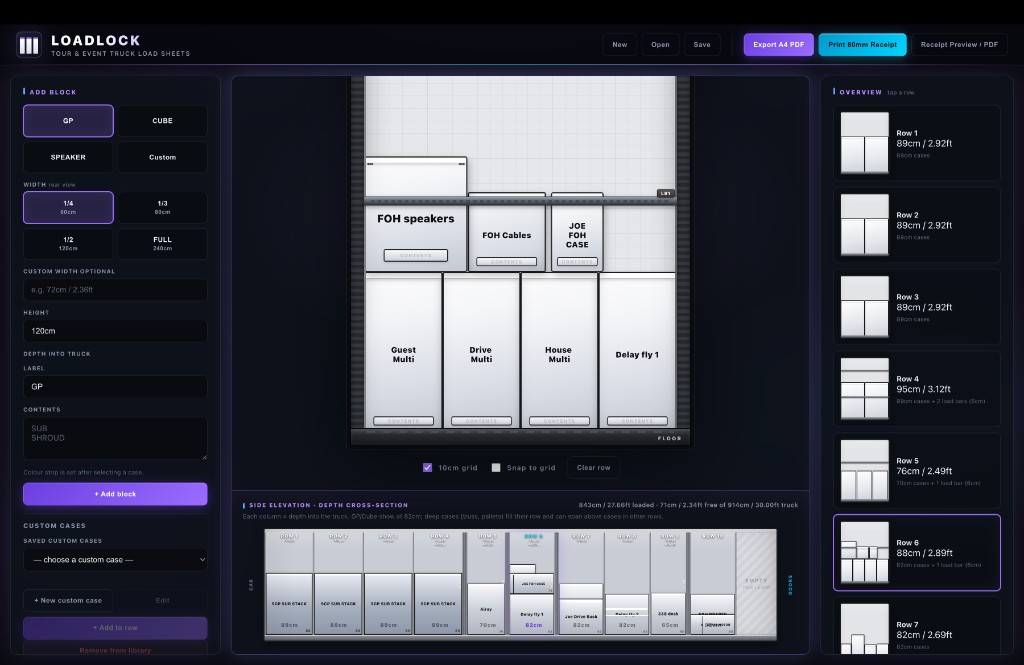
LOADLOCK

Truck Pack Designer

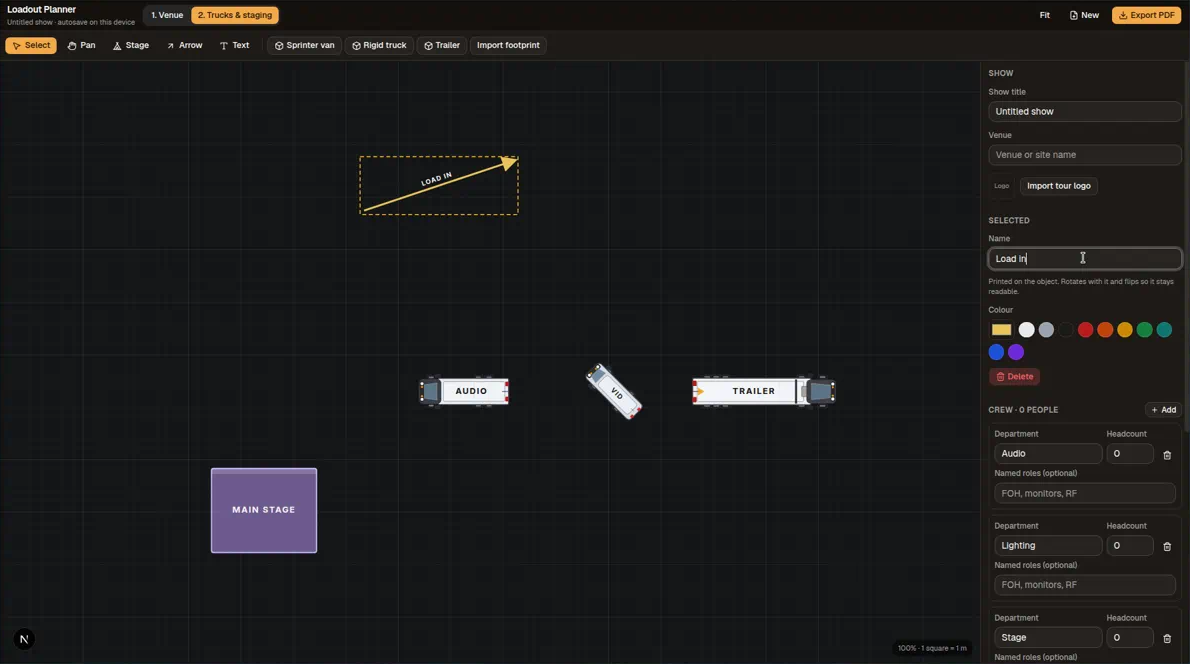
Visual truck load sheet builder with row planning, a custom case library, and A4 PDF plus 80mm thermal receipt export for touring crews.

Download for macOS

v1.0.0 · ~182 MB

How to use

  1. 1.Download and install LOADLOCK using the steps above.
  2. 2.Launch LOADLOCK and create or open a truck load project.
  3. 3.Add rows, cases and equipment to build your load sheet visually.
  4. 4.Export an A4 PDF for office or production paperwork.
  5. 5.Print an 80mm receipt from a connected thermal printer for crew on the truck.

macOS (Apple Silicon & Intel)

Rig Receipt

Rigging Documentation

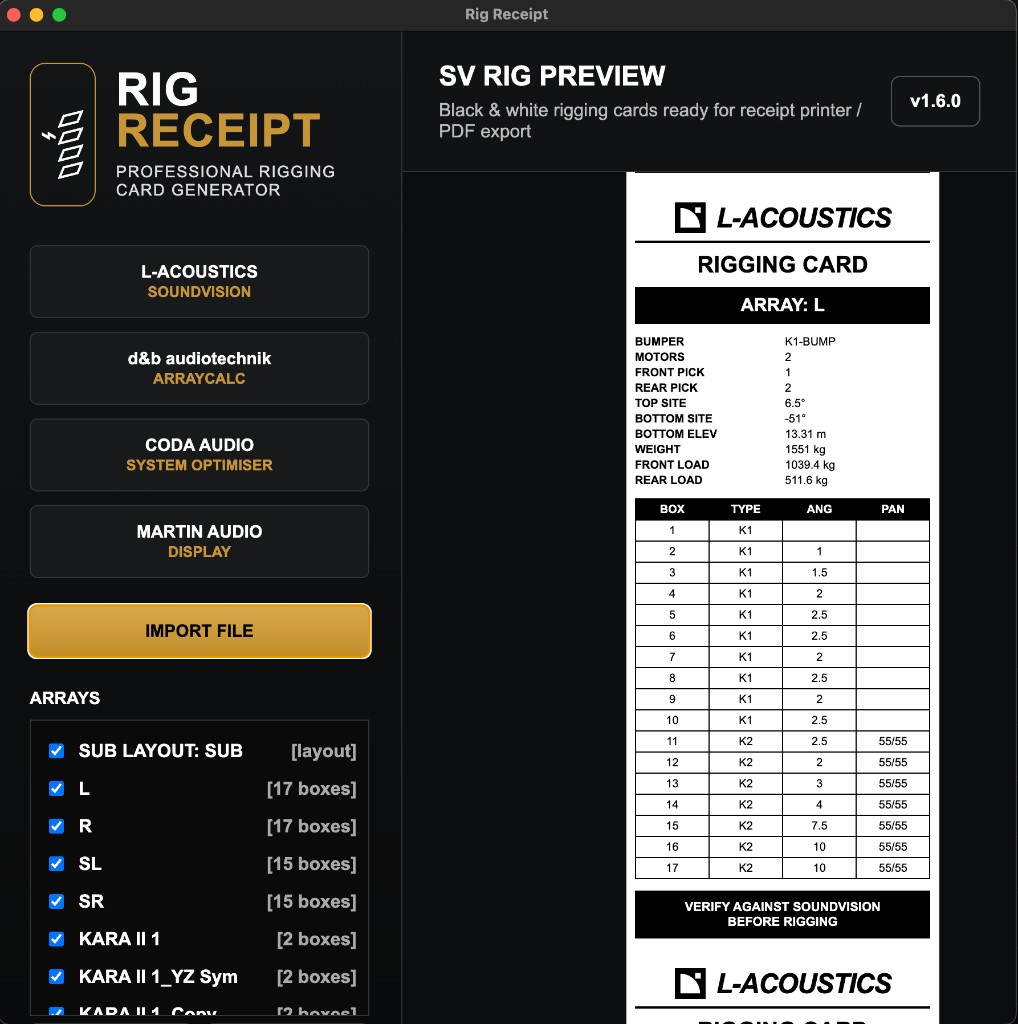
Rigging cards for 80mm thermal printers. Import from Soundvision, ArrayCalc, CODA and Martin Display.

Download for macOS

v1.6.0 · ~227 MB

How to use

  1. 1.Download and install Rig Receipt using the steps above.
  2. 2.Connect your 80mm thermal printer before launching the app.
  3. 3.Import rigging data from Soundvision, ArrayCalc, CODA or Martin Display.
  4. 4.Review the rigging card layout on screen.
  5. 5.Print directly to your thermal printer for crew and rigging teams on site.

macOS (Apple Silicon & Intel)

Theatre Mix

Beta

Theatre Workflow

Theatre mixing tools for LV1 environments. Beta access for engineers working in theatre production.

Contact [email protected] for access

How to use

  1. 1.Theatre Mix is currently in beta.
  2. 2.Contact [email protected] for beta access and download instructions.
  3. 3.A Waves LV1 environment is required for full workflow integration.

In development

More tools on the way:

Truck Pack Designer
Stage Access
Venue & Terrain Modelling
Rigging Documentation
Workflow Automation
Technical Utilities
Production Planning Tools
Receipt Printing
Audio Utilities
Future AI tools for production workflows

Stage Access

Soon

In development

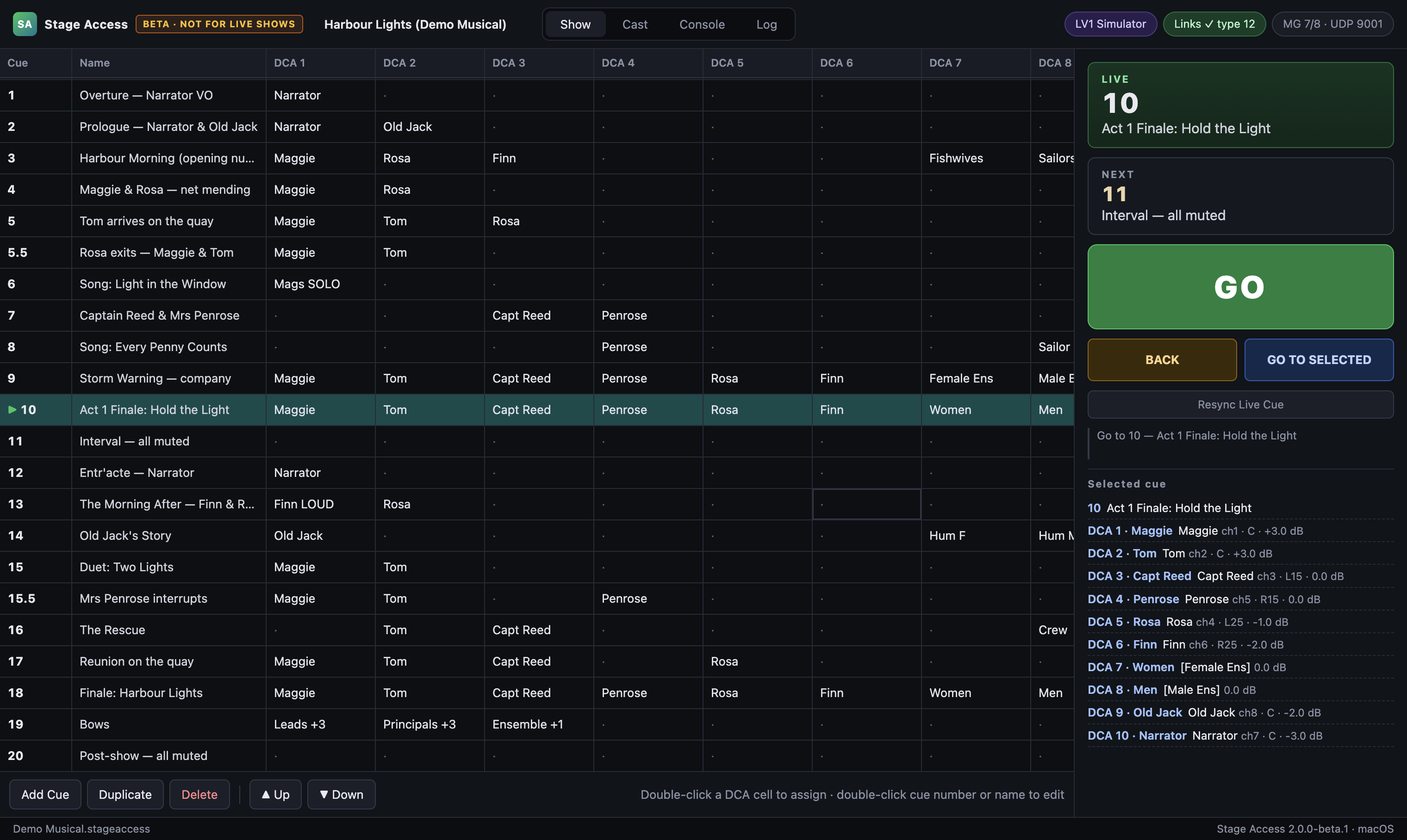
Stage and production access workflow tools.

How to use

  1. 1.Stage Access is in active development. Download will be added here when ready.

Venue Modelling

Soon

Terrain & venue tools

Venue modelling and terrain tools for system design and production planning.

How to use

  1. 1.Venue Modelling is in active development. Download will be added here when ready.